
Plures API
Send a decision to verified people before your agent acts on it. Each task goes to several people who answer independently. You get back the majority answer, how strongly they agreed, and every vote.
Plures is the human in the loop for your agent’s harness, and every answer becomes an eval that makes the agent better.
Quickstart
Get your API key on the homepage and you’re in. You get a test key (pk_test_…) and a test webhook signing secret (whsec_…) right away: test tasks answer instantly and never reach people, so you can build without waiting on anyone. For real decisions, create your live key (pk_live_…) in the dashboard in one click, and see your live webhook secret there. Start with your own team: the first 50 decisions you send them each month are free. Add credit on the Billing page and ID verified people answer the rest, live right away. In their first week, new accounts with credit can send up to 200 live tasks a day and add up to $100 of credit.
Give each service that calls Plures its own key, named for what uses it (“Levi on Fly”, “local dev”), on the API keys page: up to 20 live and 20 test keys. Rolling or cancelling one stops only that key, and each shows when it was last used.
curl https://plures.si/api/v1/tasks \
  -H "Authorization: Bearer $PLURES_API_KEY" \
  -H "Content-Type: application/json" \
  -d '{
    "question": "Is this customer asking for a refund?",
    "context": "Hi, the blender arrived cracked. I would like my money back please.",
    "options": ["Yes", "No", "Unclear"],
    "verifiers": 3,
    "webhook_url": "https://example.com/plures/webhook"
  }'
Prefer clicking first? The dashboard has a playground that sends practice tasks with your test key and shows the exact request and response.

The response is the task, with status: "pending". When enough people have answered, Plures sends a task.completed event to your webhook. You can also poll GET /api/v1/tasks/:id.
Create a task
Write the question so a careful person with no other context could answer it from what you show them. Keep personal data out of tasks unless you need it: people in many countries will see the content.
| Field | Type | Description |
|---|---|---|
question | string, required | What people should decide. Up to 1,000 characters. |
options | array, required | 2 to 8 choices. Strings, or objects {"id": "refund", "label": "Yes, a refund"} if you want stable ids. Results refer to options by id (a string option’s id is the string itself). |
context | string | The material to judge: a message, a listing, a reply. Shown as plain text with line breaks kept. Up to 20,000 characters. |
image_url | https URL | An image to show with the task. |
audio_url | https URL | A recording people listen to before answering, like a support call. Up to 3 minutes. MP3, M4A, WAV or OGG. |
video_url | https URL | A video people watch before answering. Up to 3 minutes. MP4 (H.264) plays on every phone. Send audio or video, not both. |
media_seconds | 1 to 180 | Required with a clip: its length in seconds. An answer only counts once the clip has played through, and pay scales with length. |
language | string | The language the task is written in: en or es. Only verifiers who passed a reading check in that language get it. Leave it out and Plures detects it; anything unclear counts as English. |
sensitive | boolean | Content some people would rather not see, such as violence. Goes only to people who opted in, behind a warning. Default false. |
instructions | string | Short guidance shown under the question. |
verifiers | odd integer, 1 to 9 | How many people answer. Default 3. |
max_verifiers | integer, up to 15 | If people split, Plures asks two more at a time until there’s a majority or this limit is reached. Default verifiers + 2. |
presence_check | boolean | Every answer comes from a person who confirmed it’s them with Face ID or a fingerprint on their phone, or Touch ID or Windows Hello on their computer. A check when they start a session covers their answers for up to an hour, and Plures checks again at random. Whenever their answering looks automated, the check always goes to their phone. On a Mac, passkeys kept by Google Password Manager or a password manager don’t count, since they can unlock without a fingerprint; Windows Hello and a Windows PIN never do. Default true. Set it to false for low stakes tasks to skip the session check; Plures still spot checks a share of them. |
webhook_url | https URL | Where to send the result. |
metadata | object | Your own data, returned with the task. Up to 4 KB. |
expires_in | seconds | When to give up waiting. 60 to 604,800. Default 86,400 (one day). |
route | verifiers or team | Where it goes. verifiers (the default) asks verified people first. team sends it straight to your own people, with no verified people involved. See Routing. |
fast | boolean | Paid speed. A fast task jumps the queue for verified people, pushes to their phones at once, and pays each person a bonus for answering within a minute of it arriving. Live it costs $0.10 more per answer. Not with route: "team". |
category | string | A label your routing rules match on, like refunds. Lowercase letters, numbers and _ . : / -, up to 64 characters. |
team | string | The name of one of your teams, like Finance, to decide this task instead of your main team. |
team_votes, team_unanimous | 1 to 10, boolean | How many people on the team vote, and whether they must all agree. Defaults from the team. See Routing. |
app | string | Which of your apps the task belongs to, like support-agent. Leave it out for your default app. You can also send the header Plures-App. |
kind | check or judgment | judgment for questions with no fixed right answer: what people would accept, which version is better, a rating, a flaw check or a sign off. See Judgment tasks. Default check. |
format, rubric, compare, reasons | judgment only | The kind of judgment, what good looks like, the two versions to compare, and whether people add a one line reason. See Judgment tasks. |
escalate, escalate_below | boolean, 0 to 1 | When verified people’s answer goes to your team instead of back to your agent. See Your team. |
Send an Idempotency-Key header to make retries safe. Repeating a request with the same key returns the original task instead of creating a new one.
Results
{
  "id": "tsk_8Jw2kQp4N7vRz1bXc5Td",
  "object": "task",
  "mode": "live",
  "status": "completed",
  "question": "Is this customer asking for a refund?",
  "options": [{ "id": "Yes", "label": "Yes" }, { "id": "No", "label": "No" }, { "id": "Unclear", "label": "Unclear" }],
  "verifiers": 3,
  "result": {
    "answer": "Yes",
    "label": "Yes",
    "agreement": 1,
    "answers": 3,
    "votes": { "Yes": 3, "No": 0, "Unclear": 0 }
  },
  "metadata": { "ticket": "48213" },
  "created_at": "2026-10-16T14:02:11.000Z",
  "completed_at": "2026-10-16T14:03:40.000Z",
  "expires_at": "2026-10-17T14:02:11.000Z"
}answeris the option id most people chose. It’snullif people stayed tied aftermax_verifiersanswers (thentieistrue), or if the task expired.agreementis the share of people who chose that answer, from 0 to 1. If you set up your team, Plures sends anything below your threshold to them and you only ever get a final answer.decided_byis"verifiers","team","plures"(see when nobody answers),"precedent"(see precedents) or"ai"(see AI breaks ties). A team decision also hasreviewer(their email) and an optionalnote, and keeps the verifiers’votesfor the record.- Statuses:
pending,completed,expired(not enough answers in time;votesholds what came in), andcanceled.

Judgment tasks
Some calls have no right answer to check against: whether a reply sounds right for your brand, which of two designs feels more premium, whether a decision is one a customer would accept, or whether someone accountable approves an action before your agent takes it. Send these with "kind": "judgment". A panel of verified people each gives their honest view, and you get the spread of views back, not just a winner. When people genuinely split, the result says so with contested: true: that’s a finding about your content, not a failure, so it isn’t sent round for more answers or to your team unless you set escalate: true.
format | Options it brings | Use it for |
|---|---|---|
accept (default) | yes, changes, no | Would you send this reply, accept this decision, publish this post? |
compare | a, b, same | Two versions side by side: replies, headlines, designs, thumbnails, model answers. Send compare: { "a": ..., "b": ... }, each text or { "text", "image_url", "video_url", "audio_url", "media_seconds" }. A side with a clip needs its media_seconds; people play both clips through before answering, and the price scales with their total length, like a single clip. |
rate | 1 to 5 | How well it meets your rubric. The result adds mean and spread. |
flaws | none, flaw | Does this design, video or generated image have a flaw: clipped text, low contrast, a typo, a glitch, a warped hand? Ask for reasons: "all" to hear what. |
signoff Coming soon | approve, reject | One of the highest rated verified people (Trusted tier, trust 95 or more, a strong judgment score) approves or rejects, after a fresh Face ID, fingerprint or Touch ID check, and says why. You get an audit record of who signed. Coming soon: try it now with your test key. |
custom | your options | Any other judgment. Send options as usual. |
rubric: what good looks like, in your words (“warm, never pushy, under 80 words”). Shown above the content. Up to 2,000 characters.reasons:none,sample(the default: about one person in four adds a one line reason) orall. Reasons come back without names.verifiers: the panel size, odd, 1 to 9. Default 5, so the spread means something. A sign off is always one person.- Not available on judgment tasks:
max_verifiers,route: "team"anduse_precedent.
curl https://plures.si/api/v1/tasks \
  -H "Authorization: Bearer $PLURES_API_KEY" \
  -H "Content-Type: application/json" \
  -d '{
    "kind": "judgment",
    "format": "compare",
    "question": "Which reply would you rather receive?",
    "rubric": "Warm and clear, never pushy. Answers what was asked.",
    "compare": {
      "a": "Sorry about the wait! Your refund went out today.",
      "b": "Your refund was processed on 11/11. Allow 5 to 7 business days."
    }
  }'
The result keeps every field a check has, plus:
"result": {
  "answer": "a",
  "label": "A is better",
  "agreement": 0.6,
  "answers": 5,
  "votes": { "a": 3, "b": 1, "same": 1 },
  "contested": false,
  "reasons": [
    { "answer": "a", "reason": "It says sorry and gives the news first." },
    { "answer": "b", "reason": "B tells me when the money arrives." }
  ],
  "decided_by": "verifiers"
}contestedistruewhen fewer than 60% of the panel chose the top answer, or it tied (thenanswerisnull).meanandspread(standard deviation) come withrate.signoffcomes with a sign off (coming soon; test keys return a simulated one now):decision,signer(a stable pseudonymous id, the same person always gets the same one),tier,identity_verified,presence_confirmed_at,signed_atandreason. Every sign off is also on the ledger.
How Plures keeps judgment honest: there’s no answer key, so people are scored on judgment separately from their accuracy on checks. Plures shows people items they judged before (comparisons with A and B swapped) to see whether their view holds, mixes in items with an obvious answer, and counts agreeing only where a panel clearly agreed. Disagreeing on a genuinely close call never counts against anyone, so you hear honest minority views. Judgment work goes to people at Verified tier and above, and sign offs, coming soon, will go only to people at Trusted tier with a trust score of 95 or more and a strong judgment score.
The SDKs support judgment tasks from version 1.26, with plures.judge() and plures.signoff() to create one and wait, and the MCP server from 1.7, with the ask_judgment tool.
Your team
Add the people who should make the call when verified people don’t all agree, in your dashboard. From then on, a split, a tie or a task nobody finished in time goes to them instead of back to your agent: Plures emails each of them a personal link to a page with the question, what your agent sent and how verified people voted, and the first one to decide answers it. The task stays pending until then, so your agent gets one final answer and your code doesn’t change.
"result": {
  "answer": "No",
  "label": "No",
  "decided_by": "team",
  "reviewer": "ops-lead@yourcompany.com",
  "note": "No photo of the damage, so we ask for one first.",
  "agreement": 0.667,
  "answers": 3,
  "votes": { "Yes": 2, "No": 1 }
}- By default anything short of everyone agreeing goes to your team. In the dashboard you can choose below 80%, below 60%, any percentage you set, or only when there’s no answer.
- Per task, send
escalate: falseto always get the verifiers’ answer back, orescalate_below(0 to 1) to set the threshold for that task. - While it’s with your team the task has an
escalationobject with thereason(split,tie,no_answerorunclear), the verifiers’ result and ateam_deadline. Your team has 24 hours; after that the task expires. - Your live key sends real decisions to your team from day one: the first 50 a month are free, with no credit needed. After that each internal vote is $0.05 from credit.
- Test tasks go to your team too, marked as tests. Use
metadata.test_outcomeset tosplitto try the whole flow.
When no option fits. Under every question, verifiers can say none of the options is right, or that it can’t be answered from what your agent sent. They aren’t paid for that and it skips the task for them. The count is on the task as unclear_reports and on its dashboard page. Two on a pending task send it to your team with escalation.reason unclear, since your people know what the agent meant. If it keeps happening, check the options cover every real outcome and the context holds what’s needed to decide.
When nobody answers. A live task that waits pays verified people more after a few minutes, so it gets picked up faster. If still nobody answers before expires_in, it goes to your team, as above. If your account has no team yet, Plures operations may decide it instead of it coming back empty: the result has decided_by: "plures", escalation.reason is no_answer, and it costs nothing extra. Add at least one reviewer before you go live so these calls stay with your own people.
Each person on your team gets a link to a page like this, by email, in Slack or in the Decisions app. It shows the question, what your agent sent and how verified people voted, so they can decide in a few seconds on any phone. No account or password is needed: the link is personal and signed.

Where your team answers. Every decision reaches your people in the places they already look, and they can answer from any of them:
- Email. Each reviewer gets the review link. Prefer fewer emails? Choose a digest on Your team and they get one email with everything waiting.
- Slack. Connect your workspace on Your team and each decision is posted to a channel with a button per option, with any image shown and video or audio one click away. Give each team its own channel, and turn on direct messages so each reviewer also gets their own copy. People vote as the email on their Slack profile, so it must match the one on your team.
- The Decisions app. At plures.si/decisions your people sign in with their work email (no password) and see everything waiting on them by category, their history, and how fast the team answers. On a phone it installs to the home screen and sends a notification for each new decision.
None of this changes the API: your agent sends the same task and gets the same result, however your team answered.

The Decisions app is the home for your reviewers. The count on the Decisions tab shows how many are waiting on them, each answer on a card is a button, and after each vote the app offers the next one in the queue.


Routing
AI breaks ties. Turn it on in Your team and, when verified people split, AI picks between the options they chose within seconds, guided by your team’s past decisions on similar cases (your judgment graph), instead of your agent waiting for your team. A tie that would come back with no answer gets one too. The result has decided_by: "ai", the reason in note, and the verifiers’ votes. It isn’t counted as human judgment: it doesn’t settle precedent or count for or against verified people until someone on your team confirms it on the task page, which sets ai_confirmed. Correct it like any decision (see corrections). Judgment tasks, tasks with an image or a clip, and tasks marked sensitive still go to people, and if AI can’t decide, the task goes to your team as before. Each live tie break costs $0.05, shown as cost.ai_tiebreak_cents and its own line on Usage, and your team gets an email asking them to check it. On the ledger these are marked AI.
Some questions should never leave your company, or only your own trained people should decide them. Send those straight to your team with route: "team". Plures skips verified people, emails your team the same review link, and the first one to decide answers it. The result has decided_by: "team", the reviewer, and agreement: 1, and the task’s escalation.reason is team_only. It waits until expires_in. Live, each internal vote costs $0.05, like an API call: one reviewer is $0.05, three is $0.15, and a task nobody votes on costs nothing.
Internal consensus. A team can ask several people instead of one. Set votes on the team (or team_votes on a task) and the majority decides; set unanimous (or team_unanimous) and they must all agree. Votes stay hidden from the team until everyone has voted. If they don’t agree, the team’s lead gets an email and makes the final call; with no lead, the task completes with no answer. The result’s team object has the votes per option, the agreement, every voter with their answer and note, and whether the lead decided.
Passkeys for your reviewers. Turn on passkey for a team and each vote is confirmed with the reviewer’s Face ID, fingerprint or screen lock. The first vote from an email adds a passkey on that device; later votes must use it, so a forwarded review link can’t vote as them. Your reviewers don’t go through Plures’ ID check: you vouch for your own people. A phone uses its own Face ID or fingerprint and a Mac uses Touch ID; any other computer shows a code to finish the vote on the reviewer’s phone. Slack can’t check a passkey, so for these teams a Slack button opens the decision in the browser with the answer already chosen. Reset a reviewer’s passkey on Your team when they change devices. On the ledger, internal votes count as answers and passkey confirmed votes as confirmed.
curl https://plures.si/api/v1/tasks \
  -H "Authorization: Bearer $PLURES_API_KEY" \
  -H "Content-Type: application/json" \
  -d '{
    "question": "Release the $4,200 payment to Northwind?",
    "context": "Invoice 1182 matches the PO. Their bank details changed last week.",
    "options": ["Release", "Hold"],
    "category": "payments",
    "route": "team",
    "team": "Finance"
  }'
People confirm first. When you add someone to any team, Plures emails them once to confirm. Until they do, they get no decisions, and a decision sent straight to a team needs enough people who confirmed. Your own account email is confirmed already. See who has on Your team.
Teams. Besides your main team, you can name smaller teams for specific kinds of questions, like Finance or Clinical, each with up to 10 people. Pick one per task with team, or per category with a rule.
Rules by category. Tag tasks with a category and set a rule for it: where it goes (verifiers or team), which team decides, and, for verified people first, when it goes to the team. That way you can change routing in the dashboard without changing your code. Anything set on the task itself wins over the rule.
- Set teams and rules on Your team, or with
GETandPUT /api/v1/routingusing either key.PUTreplaces what you send (team,groupsorrules) and keeps the rest. A rule’ssample(more than 0, less than 1) sends only that share of its category to people, picked at random; see the oversight engine. - Every task returns its
route,categoryandteam, so you can see where it went. - On the ledger, decisions made by your own people are marked Internal and drawn in amber; decisions by verified people are marked Crowd.
{
  "groups": [
    { "name": "Finance", "emails": ["ap@yourcompany.com", "controller@yourcompany.com"] },
    { "name": "Clinical", "emails": ["rn-lead@yourcompany.com"] }
  ],
  "rules": [
    { "category": "payments", "route": "team", "group": "Finance" },
    { "category": "medical", "route": "verifiers", "group": "Clinical", "escalate_below": 0.8 },
    { "category": "outreach_emails", "route": "verifiers", "sample": 0.1 }
  ]
}
A reviewer on a voting team sees how the team decides and how many votes are in, but not how anyone voted until everyone has. With passkeys on, their vote is confirmed with Face ID or a fingerprint before it counts.

Apps
One account can run several agents. Make each one an app and its tasks, ledger view and map stay apart from the others, while your keys, credit, team and routing work across all of them. Every account starts with a default app; a task that doesn’t name an app goes there.

- Name the app on each task with
app, or once on the client:new Plures(key, { app: "support-agent" })in JavaScript,Plures(app="support-agent")in Python, orPLURES_APP=support-agentin the environment. - Make apps in the dashboard, where the form also gives you the
npx plures map --appcommand for the new app, or withPOST /apps. An app id is 1 to 40 lowercase letters, numbers or hyphens. Up to 25 apps per account. GET /tasks?app=support-agentandGET /ledger?app=support-agentlist one app. Every task carries itsapp.- Change an app’s id and its past tasks move with it. An app with no tasks can be deleted.
- Archive an app you no longer use from its Settings tab, or with
PATCH /apps/:id {"archived": true}. Its tasks, ledger entries, map and grades stay readable, it leaves the app switcher, and it no longer counts toward the 25. It takes no new work: a task, turn or sample sent to it is turned away (see Errors). Restore it the same way with"archived": false. The default app can’t be archived.
Each app has five tabs. Overview says what the agent does, shows its steps running live and lists what needs you: checks to add, drift to fix, answers waiting for a grade. Agent map, Quality and Answers are below. Settings renames the app, changes its id, makes it the default, and archives or deletes it.

Members and roles
An account belongs to your company, not to one person. Invite the people who build and run your agents from Members in the dashboard. Each signs in with their own email, by email link or with Google, GitHub or X, so nobody shares a password or passes keys around. Apps, API keys, credit, teams and tasks belong to the account, so they keep working when someone leaves.
- Owner: everything, including billing, live access and who has access. The email the account was made with is always an owner.
- Developer: apps, API keys, webhooks, maps, teams and tasks. Not billing or members.
- Viewer: sees tasks, the ledger, maps, quality and usage, and changes nothing. Webhook secrets stay hidden.
An invite is an email with a link that works for 7 days; the invited person accepts it on a page in the dashboard, or by signing in with Google, GitHub or X using that email. Owners change roles and remove people from the same page, and removing someone signs them out at once. Up to 50 people per account. The page also keeps an activity list: invites, role changes, keys made, rolled or canceled, and billing changes, each with who made it, and every key shows who created it.
Someone in more than one account, such as a contractor working for two companies, switches between them at the bottom of the dashboard menu. Members use the dashboard; the people who answer decisions are your team, set up separately. The API is unchanged: keys belong to the account, so code keeps using the same key whoever made it.
Agent map
See where each app’s agent needs a person. Your own coding agent reads your code on your machine and sends Plures a map: the steps, the actions with consequences, and a drafted check for each place a person should look. Plures never sees your code and makes no model calls.

- With GitHub: Map with GitHub on the app’s map page opens a pull request that adds one workflow. From then on every push redraws the map, on your own GitHub runner: the main branch’s map, and one for each other branch.
- In your repo:
npx plures map --app support-agent. With Claude Code installed it reads the repo and uploads the map; otherwise it prints the steps for any coding agent.npx plures map uploadsends aplures.map.jsonyou already have. - In your coding agent: with plures-mcp connected, ask it to map the app for Plures. It calls
get_mapping_guide, thensubmit_agent_map. - Any agent: the steps are at
/api/v1/map_guide. Upload withPUT /apps/:id/map.
Each checkpoint names the step it sits before, why a person should look, a category, an optional title and when condition, and a drafted task: the question, options, the fields people see and the fields kept out. Select a check on the map to see who would decide (verified people, or one of your teams), what that costs at last week’s volume, and the code to add. Adding it saves a routing rule for its category, so your agent only sends the task with that category. The map then shows live numbers on every checked step. Uploading a new version keeps the checks you added, dismissed or edited.

Open Edit and test the check to change the draft before you add it. Your edits are kept when the map is uploaded again. You can switch who decides from there too: verified people first, with splits going to your team, or straight to a team of your own.
Run a check from your code
A check on the map is one line in your agent, just before the action it guards. Send the data by name; the check saved on Plures supplies everything else: the question, the options, which fields people see (the rest stays private), who decides, how often and what happens on a timeout. Change any of it on the check’s page and your code doesn’t change.
const check = await plures.check("refunds", { order_total, reason, refunds_last_year })
if (check.answer !== "Approve") return // or handle each answer
await issueRefund(order)
answer is the option to act on: what people chose, or the first option when no person was needed. checked says whether a person looked, and skipped_because says why not. Fields you send that the check doesn’t show come back in kept_private. Pass overrides for one call as the third argument (question, options, verifiers, team, route, sample, timeout), or always: true to check this one whatever the sample or conditions say. Name the check by its id or its category.
- Only when. Conditions on the data, like order total > 500 or channel contains email. When they don’t hold, the agent goes ahead at once and it costs nothing. A field your agent didn’t send counts as a match, so a missing field means a person looks.
- How often. Every time, or a random sample set by the oversight engine.
- On a timeout. Hold (the default) keeps the agent waiting for an answer; Go ahead returns the first option with
timed_out: trueonce the time is up.
Your own checks, and where to look. On the map page, Add a check here on any step (or Add your own check below the map) puts a person in front of it, even where the map suggested nothing: name it, write the question and answers, and pick verified people or your team. It goes live at once and stays when the app is mapped again. Map also lists the parts of your app the next map should look at too; npx plures map reads it from GET /api/v1/apps/:app/map_guide, and PATCH /api/v1/apps/:app with map_focus sets it. Suggested checks marked Recommended are the few the map thinks matter most.
Versions. Every new map and every change to a check (added, turned off, edited, your own) is saved as a version, with who made it. Restore on any of the last 100 makes it current again, checks and their routing included, as a new version, so a restore can be undone too. The SDKs (from 1.31) and the MCP server (from 1.13) do all of this as well: maps.addCheck, maps.versions, maps.restore and the add_check, get_map_versions, restore_map_version and set_map_focus tools.
Add to my code. With the repo connected through GitHub, select an added check and choose Add it to my code. Claude Code puts the line before the action on a new branch, with the client and the dependency if they’re missing, and Plures opens a pull request for you to review. Nothing reaches your main branch until you merge it. In a clone, npx plures check add refunds --app support-agent does the same and leaves the branch for you. The map’s In your code row says whether the check is really called: from the next map, or from the calls Plures receives.
In the map format, a step can be a decision (drawn as a diamond, with its branches labelled on the edges), carry via for the service it uses ("Stripe", "Gmail"), and a draft can carry example values for its fields so the preview reads like a real task. The mapping guide has the full format.
Map with GitHub
Connect a repo once and the map stays current: when the agent’s code changes, the map is redrawn. Claude Code reads the code on your repo’s own GitHub runner, and only the map comes back to Plures.
- On the app’s map page, choose Connect GitHub and install the Plures GitHub App on the repos you pick. It can open pull requests and set repo secrets there, nothing else.
- Pick the repo. Plures adds a map key to its secrets as
PLURES_MAP_KEY_<APP>_<n>and opens a pull request that adds.github/workflows/plures-map-<app>.yml. Each app gets its own, so several apps can map one repo, such as a repo with more than one agent. - Choose Turn on mapping on the map page, which merges the pull request for you, or merge it on GitHub. The repo’s own rules still apply: if the branch needs a review or passing checks, merge it on GitHub. The map page shows each step until the first map arrives. Pushes that only touch docs, tests or styles don’t start a run.
Every branch. A push to the main branch redraws the app’s map. A push to any other branch draws that branch’s map, compared with main: pick it above the map to see it. When the branch has an open pull request, Plures comments on it with what changed and any new action with consequences and no check, and edits the same comment on later pushes. Each new map says what changed since the last: actions added, removed or renamed. A renamed action keeps its check. Connected before branches were mapped? The map page offers Update the workflow.
From code. Everything after installing the GitHub App works from the API, the SDKs and the CLI. Installing needs a browser once, because GitHub asks a person which repos Plures may reach; GET /github/repos returns the install_url.
npx plures map github connect --app support-agent   # in a clone of the repo, or pass owner/repo
npx plures map github on --app support-agent        # merges the pull request: mapping is on
npx plures map github run --app support-agent       # map again now, and watch it build
npx plures map github --app support-agent           # where it stands: pull request, run, map
Who maps it. You choose, per repo:
- Plures maps it, with nothing to set up. The first map of each app is free (up to three per account). After that, Claude’s usage is billed at cost, at most $5 a run, from your credit, and appears in Billing. A run that produces no map costs nothing. Up to 10 paid runs per app a day, across all branches. Claude by Anthropic is the language model that reads the code for the Plures oversight engine: your code passes through Plures for the run and isn’t kept, and Anthropic is listed as a subprocessor.
- Your own Anthropic key. Add
ANTHROPIC_API_KEY, orCLAUDE_CODE_OAUTH_TOKENfromclaude setup-tokenif you use a Claude subscription, to the repo’s Actions secrets. The workflow uses it instead, your code goes only to Anthropic, and Plures never sees it.
A map key can only read and upload one app’s map, start a map run and report a check’s pull request for it: it can’t create tasks, read answers or see anything else. Disconnecting the repo revokes it. To map in another CI, run npx plures map workflow for the GitHub Action file, or run npx plures map --app <id> in any job with a map key from POST /apps/:id/map_keys or the map page’s Map again menu. In CI with no Anthropic key, npx plures map starts a Plures run on its own. Delete the workflow file to stop.
The Plures oversight engine
Mapping has two parts. A language model reads your code and reports what the agent does: its steps, the services they touch and how they connect. Plures uses Claude by Anthropic for this, on your machine or your repo’s runner. Then the Plures oversight engine decides what that means for people. It scores every action from 0 to 100 and shows why: whether it moves money, reaches people outside the company, can’t be undone, runs with nobody starting it, or already has a person approving it upstream. The score sets how often a person should look:
- Every time for the riskiest actions, with more people for the very highest.
- A random sample, 1 in 4, 1 in 10 or 1 in 20, for actions where checking each one would cost more than it saves. The cases not picked go ahead at once and cost nothing; the ones picked wait for people. It works like quality control on a production line.
- No check for actions that stay inside your systems and are easy to undo.
The engine also adds a check wherever it finds a risky action the reading didn’t suggest one for. Once a check runs, what people decide moves the advice: dozens of checks that all came back approved suggest checking fewer; rejections or disagreement mean every time. Change how often on any check’s page; the setting is the category’s rule, so your code doesn’t change. To undo a check you added, choose Turn off this check: its rule gets a sample of 0, so tasks your agent still sends in that category go ahead at once, without people, and cost nothing. Add it again any time. A task the sample doesn’t pick comes back with status: "skipped" and the first option as its answer, so put the option that lets the agent go ahead first.
Answer reviews
For assistants that answer people, over chat or voice and often from your own documents, the reply itself is what can go wrong: the router sends the question to the wrong place, retrieval misses the passage, or the answer leaves out what the user wanted. Send each turn with its trace and Plures picks the ones worth a look for your team to grade. Grading is free, and nothing waits on it.
plures.turns.log({
  question, answer,
  intent: "docs",              // where your router sent it
  rerouted_to: null,           // if the model corrected the router
  retrieval: "hybrid",         // how it retrieved
  sources: hits.map((h) => ({ title: h.doc, snippet: h.text })),
  session: callId,             // so Plures can tell when the user asks again
  channel: "voice",
  intents: ["chat", "inbox", "docs"], // everything your router can pick
}).catch(() => {}) // after the reply; never in the user's path- What gets picked. Every turn that shows something went wrong: the model rerouted it, it said it didn’t know, it said nothing, it answered without sources, or the user asked the same thing again in the same session (then the earlier answer is the one picked). Plus a few at random, at the rate the oversight engine sets for that intent.
review: truesends one whatever the sample says. - Who grades. Your own team by default: you grade on the app’s Answers page, and people on Your team get a daily email with their own link, no account needed. You can send an intent’s answers to verified people instead. Plures first swaps everything that identifies someone, names, companies, emails, phones, addresses and account or order numbers, for a realistic stand in, the same one everywhere it appears in the question, the answer and the sources, and a different one for each original, so a wrong name in the answer still reads as wrong. Amounts, dates and other numbers stay real, so the graders check the real math. If any detail can’t be accounted for, the answer stays with your team. Three people grade each answer, a split goes to your team, and it costs the same as a decision. Turn it on only once your users know their conversations may be reviewed this way.
- The conversation so far. Send
sessionand the grader sees up to four earlier turns from the same conversation in the last three hours, above the one being graded, so a reply like “Yes.” reads in context. Plures’ first read gets them too. Withoutsession, the review says there’s no earlier context. - Plures reads it first. Before anyone grades an answer, Plures lists what was asked and whether each part was answered, and checks what the answer claims against its sources, then suggests the grades. The grader agrees in one click or changes them; nothing is saved without a person. Reads are billed at Claude’s cost in live mode, free in test mode.
- What they answer. Did it understand what the user wanted, and if not, where it should have gone. Is the answer backed by its sources, or should it have said it doesn’t know. Did it cover everything, and what it missed. Optionally the right answer and where it is, which turns the turn into a test case.

What comes back. The Answers page shows each intent’s share understood, backed by sources and complete; the router’s misroutes, including the ones the model caught; retrieval misses; and missed asks. Three exports, as JSON lines: routes (routing examples), qa ({ question, must_cover, sources_only }: what a good answer must cover, from Plures’ read and people’s grades, and that it may only state what its sources say; or { question, unanswerable: true } for questions it should say it can’t answer) and missed. Add them to your eval sets and the failures people found become regression tests.
On the map. Mark the steps that make an answer with role: route (with its intents), retrieve, answer (with the intent it serves), speech_in and speech_out. The engine gives each answer step an answer risk from 0 to 100, higher for answers from your own data, about money, contracts or rules, spoken aloud, or picked from many intents, and lower for small talk or when a person reviews first. The risk sets how often answers are picked at random.
Quality
Keep a person in the loop after launch, too. People grade a sample of what your agent produces against a rubric, so drift shows up as a falling score before customers notice, and you can compare two versions blind before you ship one. Verified people grade with no stake in the result, which is the point: your own team tends to grade its own work kindly.

- Rubrics: one question about an output and 2 to 5 grades, best first.
POST /rubricswithname,question,options,sample_rate(0.05 grades 5%),verifiers(1, 3 or 5),drift_pointsand an optionalwebhook_url. Rubrics belong to an app. - Sampling: send every output to
POST /sampleswithrubric,outputand optionallyinputandversion(the prompt or model that produced it, like"prompt v14"; the chart marks where it changes). The sample rate decides which ones people grade;force: truesends one regardless. Emails, phone numbers, card numbers and SSNs are taken out before anyone sees it, and the response says how many of each. - Drift: a grade scores 100 for the best option down to 0 for the worst. When this week’s live score falls
drift_pointsbelow the four weeks before (with at least 10 grades in each), Plures emails you, at most once a day, and postsquality.driftto the rubric’s webhook, signed like task webhooks. - Release checks:
POST /comparisonswith areleasename, the sameinput,afrom the current version andbfrom the new one. People see them in a random order and pick the better one, or about the same.GET /releases/:releasegives how often the new version won (ties count half), a 95% range and a verdict once there are 20 comparisons. With a test key, setmetadata.test_prefertoa,borsameto choose what simulated people pick. - Graded outputs: sampled tasks carry the category
quality.<rubric>, so Tasks can list just one rubric’s grades. - Export:
GET /rubrics/:name/exportreturns graded samples as JSON lines (input, output, grade, score, agreement) for an eval set or fine tuning.
Graded samples and comparisons are billed like any task: $0.20 an answer live, free in test. Outputs that aren’t sampled cost nothing.
Fixing drift
When a rubric’s score falls, or an intent’s graded answers on the Answers page fall 10 points or more, Plures opens a drift case. It says what fell, by how much, and the version that started it: send version with each sample or turn (“prompt v15”) so Plures can tell. Then it fixes it with you:

Not sure what to grade? The Quality page lists rubrics the Plures engine suggests for the app, each with where it came from: what your team found grading its answers (asks it kept missing, answers not backed by sources, refusals when the answer was there, questions sent to the wrong intent), or a step on its agent map (answer steps, steps that reach people, risky decisions). One click adds it, or fetch them with GET /api/v1/apps/{app}/rubric_suggestions. To see drift caught and fixed before you have the data, switch the Answers or Quality page to Sample: it fills in made up grades on your app’s own map, kept apart from your live and test data and never charged.
- Find the cause. With the repo connected through GitHub, choose Find the cause and fix it on the drift card. Claude Code reads the code on your repo’s own runner with the graded examples that got worse, the ones that were fine before, and the steps on your map. The card shows each file as it’s read. Without GitHub, run
npx plures drift fix <case> --app <app>in the repo. - The fix. It writes a diagnosis (the cause, how sure it is, the files) and makes the smallest change that fixes it, plus eval cases from the graded examples when your repo has eval files. Plures opens the pull request with the diagnosis in it. If nothing in the code is to blame, you get the diagnosis alone.
- Back to normal. After you merge, Plures grades more of the new outputs (a rubric samples at least 1 in 4, an intent’s answers at least 3 in 10) and marks the drift fixed once 10 new grades are back within half the drift threshold of before. If the fix doesn’t hold, the case reopens. The chart marks the change, the fix and the recovery.
A fix is paid for by its result: you pay for each quality point it wins back, settled once people have graded 10 of the new outputs. A point costs 20¢ a step of the app’s map, at least $3 and at most $15, so a 30 step agent pays $6 a point, and a fix never costs more than $500. Back within half the drift threshold counts as all the way back, and no better (or worse) is free. Claude is included. For 30 days after a fix recovers, Plures watches the new outputs against the level the fix brought back, so slipping a full threshold below it opens a case right away. If that happens and you haven’t shipped anything since the fix merged, the next fix is free. The most it can cost is set aside from credit while it runs, and the card shows it before you start. Test mode is never charged. The workflow needs the version from after drift fixes: the map page offers Update the workflow.
Ledger
Every finished decision is added to the Plures ledger, a tamper evident record where each entry carries the SHA-256 fingerprint of the one before it. Test and Live are separate chains. The public ledger shows only fingerprints and outcomes; your questions and answers stay private. Each task gets a ledger object with its entry number and a public receipt link once it’s recorded.

GET /api/v1/ledgerlists your entries, newest first, with the question, answer and thecontent_saltandcontentthat let you check eachcontent_digest: SHA-256 of`${content_salt}|${content}`.- An entry’s
hashis SHA-256 ofplures-ledger-v1|mode|seq|task_id|decided_at|status|decided_by|reason|agreement|answers|confirmed|content_digest|prev_hash, with empty strings for missing values. - Public JSON:
GET /api/ledger?mode=liveandGET /api/ledger/live/{seq}. Export everything as CSV or JSON from your dashboard.
Audits
Before you wire Plures into your agent, see where it goes wrong. Send up to 50 decisions it already made, and ID verified people check each one. Your first audit is free, from the audit page, the API, the SDKs or your coding agent through MCP. After it has finished you can order more from the report or the same API call: $0.20 a decision ($0.50 for a judgment audit), taken from your credit when you send it, so 50 decisions cost $10.00. One audit runs at a time. Each row is what the agent saw (put the policy it should follow in here too) and what it did. Emails, phone numbers and card numbers are removed before anything is stored, and a person at Plures reviews an audit before anyone grades it, so status starts as in_review. A paid audit ordered from your dashboard skips that wait when the check of your file finds nothing wrong: grading starts as soon as you send it.
An audit runs in one of two ways, shown as mode. In people mode a panel answers every row. In hybrid mode our system grades every row first, and one person reviews the rows it calls wrong, the rows it is unsure of, and a sample of the rows it is sure are right. A person’s answer always stands over the system’s, and if a person disagrees with the system on the sample, every remaining row goes to a person too. Each row says who graded it in graded_by: people, human or system. Paid check audits run hybrid.
kind: "check"(default): was each call right? Three people answer right, wrong or can’t tell.kind: "judgment": would customers be happy with it? No right answer: three people say yes, yes with changes, or no, and you see where they split.
In the dashboard the two are called the accuracy audit and the quality audit. A quality audit can also judge what your agent made: add a media column to your CSV with an https link to an image (jpg, png, webp, gif), a video (mp4, mov, webm) or an audio clip (mp3, m4a, wav, ogg) on any row. We fetch each link once, keep our own copy and measure it; people are shown our copy, and copies are deleted after 90 days. Images can be up to 20 MB, clips up to 200 MB and 3 minutes. A row with a clip is charged as one decision plus one more for every started 30 seconds, so a clip of up to 30 seconds costs $1.00. Your free first audit takes text and images; clips can go in any audit after it. Media rows are sent from the dashboard for now, not the API.
curl https://plures.si/api/v1/audits \
  -H "Authorization: Bearer $PLURES_API_KEY" \
  -H "Content-Type: application/json" \
  -d '{
    "kind": "check",
    "about": "Answers support tickets and can refund up to $50",
    "rows": [
      { "input": "Refund asked 34 days after delivery. Policy: 30 days.", "decision": "Refunded in full" },
      { "input": "Charged twice for March. Policy: refund duplicates.", "decision": "Refunded the duplicate" }
    ]
  }'
GET /api/v1/audits (or /api/v1/audits/{id}) returns the audit. Once people are answering it adds summary (right, wrong, unclear, split, waiting, and for a hybrid audit human_reviewed, system_graded and sample) and data: every row with its verdict, label, agreement, votes and graded_by. The audit also carries paid and price_cents. Sending a second audit while one is running answers 409 audit_in_progress, and one you cannot pay for answers 402 insufficient_credit. For judgment audits the verdicts read as happy with it, not happy and needs changes. The report also fills in on your dashboard. You can also send a CSV string as csv instead of rows, with columns input and decision. The SDKs support audits from version 1.27 and the MCP server from 1.8; the paid and hybrid fields are typed from SDK 1.30 and shown by the MCP server from 1.11.
Precedents
Every finished task is a decision trace: what your agent asked, what it showed people, how they answered and who decided. Plures links them into your judgment graph, a record of how your company actually decides, built at the moment people decide. Precedents are how your agent uses it: it can look up how people decided cases like this one, and it can let a settled case be decided by precedent instead of asking again. The more your people decide, the more your agent can settle on its own.
Settled means, by default, at least 3 past decisions with the same options are at least 0.75 similar, were all decided the same way, and each had at least 80% agreement. You can make these stricter or looser for your account under Settings on the Judgment graph page, within fixed limits, and every change is recorded there. Once a week Plures also replays your people’s past decisions against nearby settings and, when one would clearly have done better, suggests the change there and to your team. Nothing changes until a person approves it. Matching uses the words in the question and context, within the same app and category. Known answer checks and decisions that were themselves settled by precedent never count as precedent.
See your judgment graph
Judgment graph in your dashboard draws it as a flow, left to right: each category feeds its cases, and each case feeds the answers people gave. A band’s width is how many decisions took that path. Solid bands were decided by people, striped ones by precedent. Cases that reached the same answer meet at the same point on the right, and each case is marked settled, split or still building.

Hover a band, case or answer to trace its path. Click a case to see its decisions, newest first, with a link to each task. Under the graph, every case is listed with its decisions as a row of dots, and you can filter to settled, building or split.

Decide by precedent
Add use_precedent: true when you create a task. If the case is settled, the task comes back already completed, with result.decided_by: "precedent" and a precedent object listing how many cases it rests on and their task ids. It goes to your webhook and the ledger like any other decision, and live it costs $0.05. If the case isn’t settled, the task goes to people as usual.
One in ten settled cases (the default; you can raise it, and it can never go below one in twenty) still goes to people as an audit, priced as a normal decision, so answers that have changed get caught and your record stays current. An audited task has precedent.audited: true and the answer precedent would have given in precedent.suggested. If people decide differently, the case stops counting as settled.
curl https://plures.si/api/v1/tasks \
  -H "Authorization: Bearer $PLURES_API_KEY" \
  -H "Content-Type: application/json" \
  -d '{"question":"Approve a refund over $500 for a damaged item?","category":"refunds","options":["approve","deny"],"use_precedent":true}'
Look up precedents
To see the cases first, or decide in your own code, call the lookup. It’s free and only ever searches your own account, in your key’s mode.
POST /api/v1/precedentswithquestion, and optionallycontext,category,app,optionsandlimit(up to 20).datalists the closest past decisions with theiranswer,label,agreement,decided_byand asimilarityfrom 0 to 1.suggestionis set only when the case is settled, withsupport(how many cases) and theirtask_ids. Otherwise it’snulland your agent should ask.
curl https://plures.si/api/v1/precedents \
  -H "Authorization: Bearer $PLURES_API_KEY" \
  -H "Content-Type: application/json" \
  -d '{"question":"Approve a refund over $500 for a damaged item?","category":"refunds","options":["approve","deny"]}'
Your judgment graph is yours: it’s built only from your own account’s decisions, and only your agents ever use it as precedent. Plures also writes mirror cases from finished decisions: new practice cases for verifiers that test the same kind of judgment, with every name, company, amount, date and line of wording invented and policies generalized. Nothing from your task is carried over, each one is checked for that before use, and no link back is kept. Tasks marked sensitive and audio, video or image tasks are never mirrored. Your Judgment graph page shows every case, each task page shows its similar past decisions, and your Usage page shows decisions settled by precedent as their own line. The SDKs support precedents from version 1.25 and the MCP server from 1.6.
Is it working: the scorecard
GET /api/v1/scorecard returns the numbers from Is it working on the Judgment graph page, so an agent or a monitor can read them. Free. Each measure covers the last 30 days and the 30 before, and comes with n, how many decisions it rests on. When early is true (fewer than 20), treat the value as a hint, not a fact.
accuracy: spot checks of settled cases where people chose the same answer.automation: share of decisions answered by precedent. Read it next to accuracy.clean: decisions by people that came with no note and no later correction.false_alarms: drafts the taste check held back that a person then said were fine.time(seconds, median) andcost(cents, average) of a decision.
The response also carries your precedent settings with their defaults and limits, and suggestion: a change Plures is proposing from replaying your past decisions, or null. It is read only on purpose. A person changes settings and answers suggestions, in the dashboard or the Decisions app; an agent that could loosen its own oversight would not be overseen.
curl https://plures.si/api/v1/scorecard \
  -H "Authorization: Bearer $PLURES_API_KEY"
Taste
Precedents answer “how did we decide this case before?” Taste answers “what does this team want our work to look like?” It is a team’s standing rules and examples, kept by Plures and read by your agents before they produce work. It is free.
Taste has two parts:
- Rules: one sentence each, like “An announcement of an integration always shows the partner’s logo beside ours.” A rule can have a
category, or apply to everything. - Examples: an image or a piece of text the team likes or doesn’t, with an optional note on why. Plures describes and tags each one so agents can use it without seeing the file.
Where rules come from
You can write a rule yourself, on the Taste page or through the API, and it is in force at once. The rest come from your team deciding as usual. When someone writes a note on a decision that says what they want from now on, or several examples point the same way, Plures drafts a rule and sends it to your team as a decision of its own, in the taste category: make it a rule, make it a rule worded as my note, or no. A drafted rule never reaches an agent until a person approved it. A declined rule is not suggested again. You can turn the drafting off on the Taste page.
Read a team’s taste
GET /api/v1/taste returns the rules in force and the most recent examples. Pass category to get the rules for that kind of work plus the ones that apply to everything. guidance is the rules as text, ready to add to your agent’s instructions. Taste belongs to the account, so a test key and a live key read the same thing.
curl "https://plures.si/api/v1/taste?category=social" \
-H "Authorization: Bearer $PLURES_API_KEY"{
"object": "taste",
"category": "social",
"rules": [
{ "object": "taste_rule", "id": "tst_...", "text": "An announcement of an integration always shows the partner's logo beside ours.",
"category": "social", "status": "active", "source": "inferred", "approved_at": "2026-11-14T17:02:11.000Z" }
],
"examples": [
{ "object": "taste_example", "id": "tex_...", "verdict": "like", "category": "social", "note": "Calm, one accent color",
"image_url": "https://plures.si/api/taste/file/tsf_...", "description": "A dark card with one line of white type and a single blue word.",
"tags": ["card", "dark", "minimal", "blue accent"] }
],
"guidance": "Follow these standing rules from the team:\n- An announcement of an integration always shows the partner's logo beside ours."
}Check a draft
POST /api/v1/taste/check holds a draft up against the rules and examples before a person sees it. Send draft (text), image_url (a public https link to a PNG, JPEG, WebP or GIF up to 4 MB), or both, and an optional category. You get pass, the rules the draft breaks with the reason for each, and up to three suggestions. A draft that passes is not kept. A draft that is held back is kept with the reason, and at most one a day is shown to your team to ask whether holding it was right, which is how the false alarm rate on your Judgment graph page is measured.
curl https://plures.si/api/v1/taste/check \
  -H "Authorization: Bearer $PLURES_API_KEY" \
  -H "Content-Type: application/json" \
-d '{"category":"social","draft":"Your team can now answer decisions in Slack.","image_url":"https://example.com/card.png"}'{
"object": "taste_check",
"pass": false,
"checked": true,
"summary": "The image shows only the Plures logo.",
"rules_considered": 4,
"examples_considered": 9,
"violations": [
{ "rule_id": "tst_...", "rule": "An announcement of an integration always shows the partner's logo beside ours.",
"why": "This announces the Slack integration but the image has no Slack logo." }
],
"suggestions": ["Add the Slack logo beside the Plures logo."],
"categories": [
{ "category": "social", "by": "label", "fit": 1 },
{ "category": "announcements", "by": "router", "fit": 0.93 }
]
}A check is an answer for your agent, not a decision by your team: it catches what the team already said, so people only see drafts worth their time. checked: false means nothing was assessed, because there are no rules or examples yet or the check was unavailable. Treat that as not checked, never as approved. Examples show leanings, so a clash with them comes back as a suggestion, not a violation.
You do not have to get category exactly right, or send one at all. Rules for all work always apply. For rules filed under a category, Plures reads the draft and judges what kind of work it is, using the category’s name and the rules and examples filed under it. A category’s rules apply when Plures is at least 70% sure the draft is that kind (the account owner can change that under Settings on the Judgment graph page), and a category you name always applies. categories in the response lists the ones that were applied, with by (label when you named it, router when Plures judged it) and fit from 0 to 1.
Add rules and examples
POST /api/v1/taste/rules with text and an optional category adds a rule, in force at once. GET /api/v1/taste/rules?status= lists them by active, proposed, declined, retired or all, and DELETE /api/v1/taste/rules/{id} retires one. An account can have 200 active rules, each up to 400 characters.
POST /api/v1/taste/examples adds an example: verdict (like or dislike), then image_url or text, and an optional note and category. The description and tags are filled in a few seconds later. GET /api/v1/taste/examples lists them and DELETE /api/v1/taste/examples/{id} removes one. Your team can also upload images on the Taste page.
curl https://plures.si/api/v1/taste/examples \
  -H "Authorization: Bearer $PLURES_API_KEY" \
  -H "Content-Type: application/json" \
  -d '{"verdict":"like","category":"logos","image_url":"https://example.com/logo-we-like.png","note":"Simple, one weight, reads at 16 pixels"}'
Find examples like this
POST /api/v1/taste/search with text, image_url, or both returns the team’s examples closest to it, by meaning and by look, nearest first. Each comes with a similarity from 0 to 1. Text and images share one space, so a description finds matching images and an image finds matching descriptions. matched is similarity when the search ran, or recent when it fell back to the latest examples. A draft check uses the same search to pick which examples to weigh.
curl https://plures.si/api/v1/taste/search \
  -H "Authorization: Bearer $PLURES_API_KEY" \
  -H "Content-Type: application/json" \
  -d '{"image_url":"https://example.com/draft-card.png","limit":5}'
Your team adds to it
Everyone on your team has a Taste tab in the Decisions app. There they can upload a picture or paste text they like or don’t, write a rule, and approve or decline the rules Plures drafted. They need no dashboard access. A person can remove an example they added themselves; owners and developers manage everything on the dashboard’s Taste page.
Settle repeat questions
Turn on Repeat questions on the Taste page and a question your agent sends with route: "team" is settled from your team’s own earlier answers when the case is settled by the same test as precedents: at least 3 close past decisions with the same options, all answered the same way. The task comes back completed with result.decided_by: "precedent", it is free, and your team sees it in their History as settled from earlier decisions. One in ten still goes to a person, so a changed mind gets caught. It is off by default, and approvals of rules never settle this way.
What a team shows and tells Plures is used for that team’s account only. Another account never sees it.
Corrections
When a decision turns out to be wrong, say what the right answer was. Use This was wrong on the task’s page, or the API:
curl -X POST https://plures.si/api/v1/tasks/tsk_…/correct \
  -H "Authorization: Bearer $PLURES_KEY" -H "content-type: application/json" \
  -d '{ "answer": "deny", "reason": "misjudged", "note": "The order was past the 30 day window." }'
The decision stays on record as it was decided, on the task and on the ledger. The correction sits beside it as correction (answer, label, reason, note, corrected_by, corrected_at and previous), so act on correction.answer when it’s set. Then:
- Your agent gets a
task.correctedwebhook, so it can undo or follow up on what it did. - Your judgment graph and precedents use the corrected answer, as your team’s own decision. If close cases were decided differently, they stop counting as settled and new ones go back to people.
- Decisions already settled by precedent that leaned on this one are listed on the task page, and returned as
affected, so you can check them. - With reason
misjudged(people got it wrong), it counts against the verifiers who chose the wrong answer, like a missed known answer. Withcontext(your agent left out something that mattered),policy(your rules changed) orother, it doesn’t, because they answered what they were shown.
Webhooks
Plures sends a POST to your webhook_url when a task is task.completed, task.corrected, task.expired or task.canceled. Respond with any 2xx status. Failed deliveries are retried after 1, 5, 30, 120, 720 and 1,440 minutes.
{ "id": "evt_…", "type": "task.completed", "created_at": "…", "data": { /* the task */ } }Every delivery has a Plures-Signature header: t=<unix seconds>,v1=<hex>, where v1 is HMAC SHA256 of `${t}.${rawBody}` with your webhook secret. Check it before trusting the event. The SDKs do this for you:
import { Plures } from "./plures";

export async function POST(req: Request) {
  const raw = await req.text();
  const event = await Plures.verifyWebhook(raw, req.headers.get("plures-signature"), process.env.PLURES_WEBHOOK_SECRET!);
  if (event.type === "task.completed" && event.data.result?.answer === "Yes") {
    // let your agent issue the refund
  }
  return new Response("ok");
}
Pay per decision with x402 Test network
Test network for now. Right now this runs on the Base Sepolia test network: you pay with free test USDC and get a test decision with simulated votes, not real people. Paying with real USDC on Base is coming soon. Test USDC is free from faucet.circle.com (choose Base Sepolia).
Agents can buy a single decision with no account or API key, paying in USDC on Base through x402, the open standard for paying an API over HTTP. Send the usual create task request without an Authorization header. Plures answers 402 with what to pay; an x402 client signs the USDC payment and sends the request again with an X-PAYMENT header.
import { wrapFetchWithPayment } from "x402-fetch";

const pay = wrapFetchWithPayment(fetch, wallet); // a viem wallet holding USDC on Base
const res = await pay("https://plures.si/api/v1/tasks", {
  method: "POST",
  headers: { "content-type": "application/json" },
  body: JSON.stringify({ question: "Is this refund request legitimate?", options: ["Yes", "No"], verifiers: 3 }),
});
const task = await res.json(); // includes task.receipt

// Read the result later with the receipt, no API key needed:
await fetch(`https://plures.si/api/v1/tasks/${task.id}`, { headers: { "X-PAYMENT-RECEIPT": task.receipt } });- The price is the decision’s full cost: the price per answer times
verifiers. A paid decision asks exactly that many people and doesn’t escalate. - The response carries an
X-PAYMENT-RESPONSEheader with the settlement, including the onchain transaction. - Paid decisions go to verified people only. Routing to your own team, apps, budgets and the dashboard need an account and an API key.
- Card and invoice billing with an API key stay the default, and work exactly as before.
SDKs
Official clients for JavaScript and Python. Both have no dependencies, read PLURES_API_KEY from the environment, retry server errors and verify webhook signatures. Source and examples for LangGraph, the OpenAI Agents SDK and the Vercel AI SDK are on GitHub.
npm install pluresimport { Plures } from "plures";
const plures = new Plures(); // reads PLURES_API_KEY
// Create and wait (handy in scripts and agent tools; use webhooks in production)
const task = await plures.verify({
question: "Does this reply answer the customer's question?",
context: "Q: Can I change my delivery address?\nA: Our store hours are 9 to 5.",
options: ["Yes", "No"],
});
if (task.result?.answer === "No") { /* don't send the reply */ }Agent maps, map keys and map runs, for a CI job that keeps a map current:
const { key } = await plures.maps.createKey("support-agent", { label: "GitLab CI" }); // shown once
const yaml = await plures.maps.workflow("support-agent", "main"); // the GitHub Action
await plures.maps.keys("support-agent"); // list, without secrets
await plures.maps.runs("support-agent"); // recent runs Plures mapped, with their charge
Prefer a single file? Download plures.ts or plures.py into your project instead.
MCP server
Give any agent that speaks the Model Context Protocol a human in the loop. The plures-mcp server adds an ask_humans tool to Claude, Cursor, VS Code and agent frameworks with MCP support. The agent sends the judgment call and gets back the verified answer and how strongly people agreed, with guidance to act only on unanimous answers. An audit_my_agent tool sends your free audit from the decisions in front of it, and get_audit_report reads the results. An ask_judgment tool asks for people’s view when there’s no right answer (A or B, a rating, a flaw check) and for a sign off before an action someone must answer for.
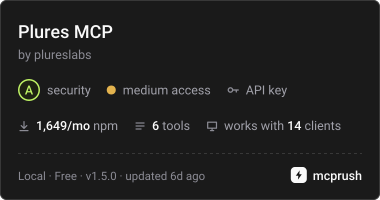
{
  "mcpServers": {
    "plures": {
      "command": "npx",
      "args": ["-y", "plures-mcp"],
      "env": { "PLURES_API_KEY": "pk_test_..." }
    }
  }
}
Hosted: connect by URL
The same tools are hosted at https://plures.si/mcp, so a server side agent connects with a URL and your key, with nothing to install or run. Send the key as a bearer token, and add an X-Plures-App header to send everything to one app. It works with the Claude API’s MCP connector, the Claude Agent SDK, Claude Code and any client that connects to a remote MCP server.
"mcp_servers": [{
  "type": "url",
  "url": "https://plures.si/mcp",
  "name": "plures",
  "authorization_token": "pk_test_..."
}]
Tools: ask_humans (question, options, context, image_url, audio_url, video_url, media_seconds, sensitive, instructions, verifiers, route, category, team, team_votes, app, wait_seconds up to 240), get_human_answer (task_id), cancel_human_task, and for the agent map get_mapping_guide, submit_agent_map and get_agent_map. Set PLURES_APP in the server’s environment to send everything to one app. If people haven’t answered within wait_seconds, the agent gets a task id to check later. With a test key the answer is simulated and instant.
Agent skill
The Plures skill teaches your coding agent when a decision needs a person and how to wire the check in: the call, the webhook, the test outcomes and the agent map. The plugins for Claude Code, OpenAI Codex, Cursor and Gemini CLI install the skill and the MCP server together. Claude Code, Cursor and Gemini CLI ask for your API key when you install; for Codex, set PLURES_API_KEY in your environment first.
/plugin marketplace add plureslabs/plures
/plugin install plures@plures
In Cursor, add plureslabs/plures as a plugin marketplace and install Plures. Then ask your agent something like “add a human check before refunds”. The skill is open source on GitHub.
Reference
Base URL https://plures.si/api/v1. Authenticate with Authorization: Bearer <key>. Requests and responses are JSON.
| Endpoint | Description |
|---|---|
POST /tasks | Create a task. Returns 201 with the task. Without an API key, returns 402 with x402 payment requirements; send the request again with an X-PAYMENT header to pay in USDC (test network only for now). |
GET /tasks/:id | Retrieve a task. A task paid with x402 can be read with its X-PAYMENT-RECEIPT header instead of an API key. |
GET /tasks | List tasks for the key’s mode, newest first. Query: status, limit (1 to 100), starting_after (a task id, for paging), app. |
GET /apps | Your apps, the default first, each with tasks_30d, waiting and last_task_at for the key’s mode. |
POST /apps | Create an app: {"name": "Support agent", "id": "support-agent"}. The id is optional and made from the name if you leave it out. |
POST /samples | Send an output for grading against a rubric; the sample rate decides. Returns sampled, redacted counts and the task when sampled. |
GET /rubrics, POST /rubrics | List rubrics with their quality, or create one. ?app= for one app. |
GET /rubrics/:name, PATCH, DELETE | A rubric with daily scores for 30 days, this week against the four before, grades and drift. Pass ?app= for a rubric outside your default app. |
GET /rubrics/:name/export | Graded samples as JSON lines. ?since= an ISO date. |
POST /comparisons, GET /releases/:release | A blind release check, and how the release is doing. |
GET /apps/:id/map | The app’s latest agent map, with stats on each checkpoint for the key’s mode. |
PUT /apps/:id/map | Upload a new version: nodes, edges, checkpoints, with optional name, summary and source. Up to 120 nodes, 300 edges, 40 checkpoints, 200 KB. Errors name exactly what to fix. The response has changes: actions added, removed, renamed and risky. Send a branch other than main in the Plures-Branch header or source.branch to save that branch’s map instead, compared with main and noted on its pull request. List Plures calls already in the code in calls. |
GET /apps/:id/drift | Drift cases for the app: what fell (source rubric or answers, key, baseline, at_open, version_after), and where the fix stands: status (open, diagnosing, diagnosed, fix_open, verifying, recovered, failed), diagnosis, pr_url, current and post_n. |
POST /apps/:id/drift/:case/fix | Runs the fix on the repo’s Plures workflow. 409 workflow_outdated for an older workflow. |
GET /apps/:id/drift/:case/packet, POST /apps/:id/drift/:case/report | For npx plures drift fix, and allowed for a map key: what got worse, and the result, { diagnosis, branch? } or { error }. With a branch, Plures opens the pull request. |
POST /turns | Answer reviews: one turn your assistant answered. question and answer, with optional intent, rerouted_to, retrieval, sources (each title, snippet, id, score), refused, session, channel (voice or text), audio_url, intents, review, metadata. Returns whether it was picked, and the signals. |
POST /turns/:id/grade | Grade a turn from your own tools: intent_ok, right_intent, grounded (yes, partly, no, should_refuse, should_answer), complete, missed, fact, doc, note. |
GET /apps/:id/turns/insights, GET /apps/:id/turns/export?kind= | What the grades say over days (default 30); graded turns as JSON lines, kind one of routes, qa, missed, with optional since. The old retrieval kind is retired and returns 410. |
POST /checks/:id | Run a check from the app’s map by its id or category: { data, ...overrides }, with the app in app or the Plures-App header. Returns the task with check, on_timeout and kept_private; when no person is needed, status: "skipped", the first option as the answer and skipped_because. |
POST /apps/:id/checks/:check/pr | From the repo’s runner after npx plures check add: { branch } once the branch with the check is pushed, and Plures opens the pull request; or { error } if adding it failed. A map key may call it. |
PATCH /apps/:id/map/checkpoints/:checkpoint | Set a check’s status: added (on, with its routing rule), suggested (off) or dismissed. Saved as a new version. |
POST /apps/:id/map/checkpoints | Add your own check at any step: at (the node id), title, question, options (the go ahead answer first), and optional route, why and show. It goes live at once and stays when the app is mapped again. |
GET /apps/:id/map/versions | The last 100 versions of the map, newest first: each new map and each change to a check, with what changed and who. |
POST /apps/:id/map/versions/:version/restore | Make an older version current again, checks and routing included, as a new version. |
GET /apps/:id/map_guide | The mapping guide with the app’s map_focus (Map also), set with PATCH /apps/:id. A map key for the app can read it. |
POST /apps/:id/map_keys | A map key for CI, which can only read and upload this app’s map. Optional label. The key is in this response only. |
GET /apps/:id/map_keys, DELETE /apps/:id/map_keys/:key | List the app’s map keys (without the secret), or revoke one. |
POST /apps/:id/map/progress | While mapping, the files your coding agent is reading, so the map page shows the reading live: session, phase (reading, drawing, done, failed) and events of { path }. File names only, relative to the repo. npx plures map sends these for you; a map key may too. |
GET /github/repos | Repos the Plures GitHub App can reach for your account, with installed and the install_url to open in a browser once. |
POST /apps/:id/github | Map with GitHub: connect a repo (owner/name). Sets the repo’s map key secret and opens the pull request. GET returns where it stands: pull_request, mapping_on, mapped_by, latest_run, mapped_at. DELETE disconnects and revokes the map key. |
POST /apps/:id/github/run | Map now: runs the app’s map workflow on GitHub; watch it build on the map page. 409 with workflow_outdated for a workflow from before this; send { update: true } to update it, which also starts a run. |
POST /apps/:id/github/merge | Turn mapping on by merging the pull request. 409 when the repo’s rules need a review or passing checks first. |
POST /apps/:id/map_runs | Start a map run that Plures runs, for CI with no Anthropic key. Returns a token for Claude Code’s ANTHROPIC_API_KEY and a base_url for ANTHROPIC_BASE_URL, whether it’s free, and max_cents. Uploading the map ends and charges it. 402 without credit, 429 past 10 paid runs a day. GET lists recent runs with their charge. |
GET /map_workflow?app=&branch= | No key needed. The GitHub Actions workflow that maps a repo on every push: branch is the main one. |
GET /apps/:id, PATCH /apps/:id, DELETE /apps/:id | Read one app; change its name or id, set default to true, or set archived to true or false; delete an app with no tasks. |
POST /tasks/:id/cancel | Cancel a pending task. Answers already given are still billed. |
GET /test_mix | Test keys only. Your test mix: how test tasks behave when they don’t name an outcome. |
PUT /test_mix | Test keys only. Set the mix: whole number shares of unanimous, most, split, tie and expired that add up to 100, for example {"unanimous": 70, "split": 20, "tie": 5, "expired": 5}. Send null to turn it off. |
DELETE /test_mix | Test keys only. Turn the mix off, so test tasks come back unanimous. |
GET /routing | Your main team, named teams and rules by category, each team’s consensus settings, plus internal_vote_cents. |
PUT /routing | Set any of team (emails, escalate_below, votes, unanimous, lead, passkey), groups (each name, emails and the same consensus fields) and rules (each category, route, group, escalate_below). What you send replaces what’s there. |
GET /balance | Your prepaid credit in cents: available_cents, held_cents set aside for running tasks, and your auto top up settings. |
Errors
Errors use standard HTTP status codes and a JSON body: {"error": {"type": "invalid_request", "message": "options must be an array of 2 to 8 choices."}}
| Status | Type | Meaning |
|---|---|---|
| 400 | invalid_request | Something in the request is missing or wrong. The message says what. |
| 401 | authentication_error | The API key is missing, wrong or revoked. |
| 403 | account_paused | Live tasks are paused on this account while Plures reviews reports from verifiers. Email hello@plures.si. |
| 429 | rate_limited | Over a daily limit: 1,000 test tasks, or 200 live tasks in a new account’s first week. |
| 402 | insufficient_credits | A live task could cost more than your available credit, including a task for your team once the month’s free team decisions are used. Includes available_cents and required_cents. Add credit or turn on auto top up in the dashboard. |
| 402 | x402 | A create task request with no API key. The body (x402Version, error, accepts) lists the x402 payment requirements (USDC on Base); pay and send the request again with X-PAYMENT. See Pay with x402. |
| 404 | not_found | No task, app or other object with that id for this key. |
| 409 | app_archived | POST /turns to an archived app. Tasks, checks, samples and comparisons sent to one get a 400 invalid_request with the same message. Restore the app on its Settings tab or with PATCH /apps/:id {"archived": false}. |
| 500 | api_error | A problem on our side. Retry with the same Idempotency-Key. |
Pricing
Test mode is free, and so are your first 50 decisions each month sent straight to your own team with your live key. Everything else is paid from prepaid credit that you add in the dashboard by card, with optional auto top up. There’s no monthly plan: you pay for what you use. You pay for each answer a verified person gives:
| Each answer to | Price |
|---|---|
| A question with text or an image | $0.20 |
| A recording or video | $0.20, plus $0.20 for every started 30 seconds: $0.40 up to 30 seconds, $0.60 up to a minute, $1.40 up to 3 minutes |
An internal vote on a task sent straight to your team (route: "team") | The first 50 decisions a month are free, then $0.05 per vote, charged only for votes cast |
A fast task, served first with a speed bonus for verified people | $0.10 more per answer: $0.30 for a question with text or an image |
| A judgment task | The same as a question, per answer. A panel of 5 on text costs $1.00. |
A sign off (format: "signoff"), coming soon | $1.00 per decision: one Trusted person, a fresh presence check and a written reason |
| An audit of decisions your agent already made | Your first is free. After that $0.20 a decision, or $0.50 for a judgment audit, taken from your credit when you send it. 50 decisions cost $10.00. |
A decision settled by precedent (use_precedent: true) | $0.05 per decision. Looking up precedents is free, and a decision that goes to people instead (no settled precedent, or drawn for an audit) is priced as usual. |
| The Plures engine, for an agent map | 5¢ a step of the app’s map, so a larger, more complex agent costs more; a 30 step map is $1.50. The first map of each app is free, and branch maps are free. The same whether Plures runs Claude or your own Anthropic key does. Map it now shows the fee before you start. |
| A drift fix | Paid for by its result: each quality point it wins back costs 20¢ a step of the app’s map (at least $3, at most $15 a point), at most $500 a fix. A 30 step agent that gets 15 points back pays $90. Nothing if it doesn’t help. Claude included. If a fix stops holding within 30 days with nothing new shipped, the next one is free. |
| Claude, when Plures runs it | At cost, at most $5 a run. A run that produces no map costs nothing. Nothing with your own Anthropic key in the repo. |
A decision with 3 people costs $0.60 when they agree. If they split and Plures asks more people, those answers count too. When verified people split and the call goes to your team, the team’s decision is free. When you create a live task, its most possible cost (price per answer times max_verifiers) is set aside from your credit, and whatever it doesn’t use comes back when it finishes. When few verified people have been active recently, the create response for a live task includes a warnings array saying so, since the task may take longer or expire. The same array names any field in your request that Plures does not know and so ignored, with the field you probably meant, so a misspelled option is not silently dropped. The task is still created. Each live task’s cost shows per_answer_cents, answers_billed, total_cents and billed_as (answers, internal_votes for a task sent straight to your team, or precedent for one settled by precedent). For committed volume or monthly invoicing, email hello@plures.si. Agents can try paying per decision in USDC with x402 on the Base Sepolia test network; real USDC on Base is coming soon.

Usage and budgets
The dashboard’s Usage page shows what Plures charged each month, day by day, by what it was for (decisions, your team’s votes, agent maps, Claude for maps, drift fixes) and by app, with a forecast for the month’s end. Set a monthly budget there to get an email at 50%, 80% and 100% of it. Turn on its hard stop and new live tasks, maps and fixes that would go past it are refused with 402 budget_reached until the month ends or you raise it; work already running finishes.

Test mode
Tasks created with a pk_test_ key complete immediately without reaching anyone, and still fire your webhook, signed with your test webhook secret. The answer is the first option, or set metadata.test_answer to an option id to choose it. Test and live tasks are listed separately. Test keys can create up to 1,000 tasks a day.
Test tasks that reach your own team, sent straight there or after a simulated split, send real emails to your team, so they’re limited to 50 a day for every account, enough to try the flow. For real decisions use your live key: the first 50 team decisions each month are free, then each internal vote is $0.05, with no daily cap. Past that, route: "team" returns a 429 and simulated splits come straight back to your agent.
Set metadata.test_outcome to try every path your code handles, including the ones you send to your own team:
unanimous(the default): everyone agreed,agreement1.most: everyone but one person agrees, for example 4 of 5 andagreement0.8. Useful for checking where your team’s threshold sits.split: a majority but not everyone, for example 2 of 3 andagreement0.667. The usual case to route to a person on your team.tie: people stayed split after more were asked.answeris null andtieis true.expired: not enough answers in time. Statusexpired,answernull, and atask.expiredwebhook.slow: stayspendingfor about 5 seconds, then completes, so you can test polling and late webhooks.
To exercise routing without changing your code, set a test mix on the Your team page of your dashboard, for example 70% unanimous, 20% split, 5% tie and 5% expired. Every test task that doesn’t set metadata.test_outcome then draws an outcome from the mix, and its metadata.test_outcome shows which one it got. Run your agent as usual on your test key and a realistic share of decisions reaches your team. An outcome set on the task always wins over the mix.
You can also set the mix from code with PUT /api/v1/test_mix (for example at the start of a CI run), or give a single test task its own mix with metadata.test_mix, which overrides your account’s. The order is: metadata.test_outcome, then metadata.test_mix, then your account’s mix.
const task = await plures.tasks.create({
  question: "Should this customer get a refund?",
  options: ["Yes", "No"],
  context: ticketText,
  webhook_url: "https://your.app/plures",
  metadata: { test_outcome: "split" }, // test keys only; ignored by live keys
});
Questions or a use case to discuss? Email hello@plures.si. Use of the API is subject to the Terms of Service, including the Developer Terms in Section 6.